Review Comments (0) Screenshots (6) Questions & Answers (0) Votes (0) Awards (4) Wiki  
5.1.1
www.selteco.com
Shareware
$29  Purchase
13 people
Download Web Button Maker

347.08 KBDownloaded 459 times

This software was checked for viruses and was found to contain no viruses.
Click here to see antivirus report.
 
Video tutorial for Web Button Maker 5.1
Frame

Review

This is official description

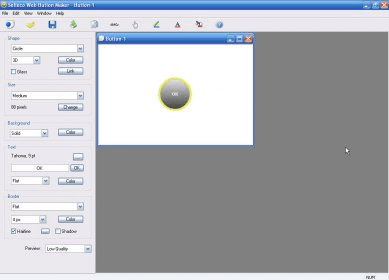
With Selteco Button Maker you can create Web buttons in a minute. Web Button Maker can create rectangular, circular or rounded buttons, apply 3D and glass effects, add text and outlines, define button size and colors, save buttons as PNG or GIF and generate HTML code.
 
The following review written by one of the Software Informer contributors applies to version 5.0

If your are looking for ways to create beautiful, professional quality buttons for your website, then Web Button Maker can be the solution you are looking for. This piece of software gives you the ability to create 3D buttons in several shapes and sizes, that can be used in Flash projects or at your website. The tool is completely configurable and offers a wide variety of editing features so that you can achieve high-quality results with absolute ease. With this tool, you can change shape, size, color of the button, choose background color, enter text in several colors, add borders around the button, and apply a number of effects to enhance the look of the button. Furthermore, you will be able to select font effects, face, style and size, and choose the desired script from a list. After previewing the final button, you can save it in either PNG or GIF format and export the image, and the program will also create its HTML code. Compatible with Windows Vista, Windows XP, 2000 and Me, this tool is very easy to use and provides amazing results.
  • Applies 3D effects to buttons.
  • Easy to use.
  • None found.

Reviewer rating:

Reviewed: 2 years ago

Report a wrong version Report a wrong program title Suggest a correction

Screenshots

Main window Main window Preview Preview Font Options Font Options Size Option Size Option
All 6 screenshots

Latest comments


There are no comments, be the first one!
Add new comment

E-mail Address:

Password:

Register now »

Forgot password?

Sign in with:
Facebook Account
Download Software Informer Client
Copyright © 2012, Informer Technologies, Inc. About| Terms & Privacy| FAQ| Feedback & Support| For Developers